Home / Blog / Tutorials
Windows Powershell doesn’t accept target paths with spaces
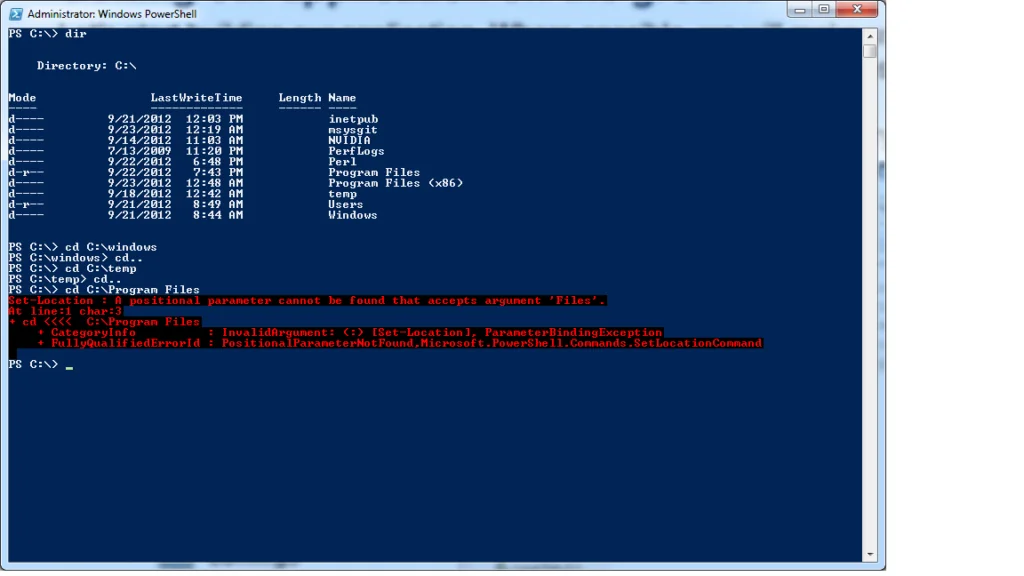
A ` must be inserted after each word, before the space.
So for this example it would be – cd C:\Program` Files
Note: this isn’t a comma. It is the key above the “tab” key, to the left of the “1” key.